- Quick Note:
- Please refer to the course provider's website for the course details.
Course Information
Schedules*
- Anytime
Registration period*
Year-round Recruitment
Price
Free
Course Level
Study Mode
Duration
1 Hour(s)
Language
Cantonese
Location
-
*Note: The schedule above is for reference only. Please refer to the course provider's website for the schedule.
Course Overview
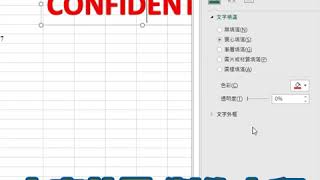
成日見到Excel入面有水印,究竟點樣整?
原來幾個Steps就搞掂
What You’ll Learn
- 按文字再點選文字藝術師
- 輸入所需字眼
- 按右鍵
- 設定文字效果格式
- 再選擇文字填滿改變色彩
- 再增加透明度
- 按關閉
- 再將水印移到相關位置即可
延伸閱讀︰【技能提升】Excel快速鍵合集超實用!!超過 200 個鍵盤快速鍵收藏【Alt & Ctrl篇】(https://bit.ly/2UoNMUL)
延伸閱讀︰【職場小教室】由Word檔轉去Excel 點可以令排版不變? (https://bit.ly/2YdHAzO)
想報讀有關Excel的內容︰https://bit.ly/2ZLfwXc
其他進修課程: https://bit.ly/3gUrUKs
Course Media